- Dusk Version: 6.19.2
- Laravel Version: 8.72.0
- PHP Version: 7.4.26
- Database Driver & Version: MariaDB 10.3
Description:
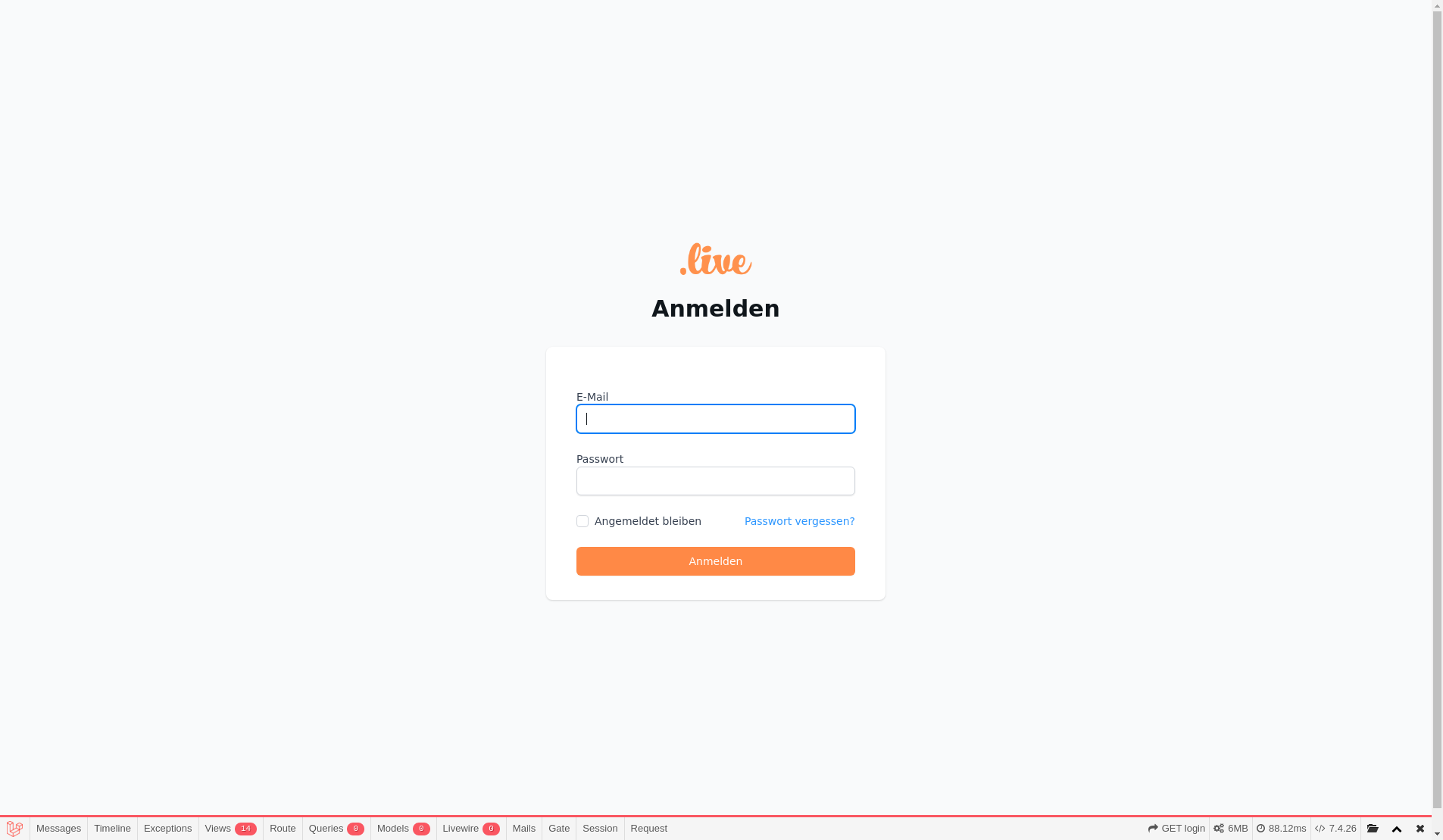
Dusk doesn't login user before visiting page. It works perfectly fine on my local environment. This happens on my GH workflow only. The errors don't show much.
Actual error:
Actual path [/login] does not equal expected path [/groups/1/prepare].
Failed asserting that '/login' matches PCRE pattern "/^\/groups\/1\/prepare$/u".
Steps To Reproduce:
Test:
public function it_prepares_a_lesson_from_groups(): void
{
    $group = Group::factory()->create();

    $this->browse(function (Browser $browser) use ($group) {
        $browser
            ->loginAs($this->user)
            ->visit(new Prepare($group))
            ->assertSee('Alle');
    });
}
Page class:
class Prepare extends Page
{
    protected Group $group;

    public function __construct(Group $group)
    {
        $this->group = $group;
    }

    public function url(): string
    {
        return route('groups.prepare', $this->group, false);
    }

    public function assert(Browser $browser): void
    {
        $browser->assertPathIs($this->url());
    }
}
Action:
name: Tests

on:
  push:
    branches: [ master ]
  pull_request:
    branches: [ master ]

jobs:
  laravel-tests:

    runs-on: ubuntu-18.04

    services:
      mysql:
        image: mariadb:10.3
        env:
          MYSQL_ALLOW_EMPTY_PASSWORD: yes
          MYSQL_DATABASE: test_handbook
        ports:
          - 3306
        options: --health-cmd="mysqladmin ping" --health-interval=10s --health-timeout=5s --health-retries=3

    steps:
      - name: Setup PHP
        uses: shivammathur/setup-php@v2
        with:
          php-version: '7.4'

      - uses: actions/checkout@v2

      - name: Copy .env
        run: php -r "file_exists('.env') || copy('.env.example', '.env');"

      - name: Install Dependencies
        run: composer install -q --no-ansi --no-interaction --no-scripts --no-progress --prefer-dist

      - name: Generate key
        run: php artisan key:generate

      - name: Directory Permissions
        run: chmod -R 777 storage bootstrap/cache

      - name: Execute tests (Unit and Feature tests) via PHPUnit
        env:
          DB_PORT: ${{ job.services.mysql.ports[3306] }}
        run: vendor/bin/phpunit

      - name: Upgrade Chrome Driver
        run: php artisan dusk:chrome-driver `/opt/google/chrome/chrome --version | cut -d " " -f3 | cut -d "." -f1`

      - name: Start Chrome Driver
        run: ./vendor/laravel/dusk/bin/chromedriver-linux &

      - name: Run Laravel Server
        run: php artisan serve --no-reload &

      - name: Run Laravel Websockets
        run: php artisan websockets:serve &

      - name: Execute tests (Browser tests) via Dusk
        env:
          APP_URL: "http://127.0.0.1:8000"
          DB_DATABASE: test_handbook
          DB_PORT: ${{ job.services.mysql.ports[3306] }}
        run: php artisan dusk

      - name: Upload Screenshots
        if: failure()
        uses: actions/upload-artifact@v2
        with:
          name: screenshots
          path: tests/Browser/screenshots

      - name: Upload Console Logs
        if: failure()
        uses: actions/upload-artifact@v2
        with:
          name: console
          path: tests/Browser/console
Console:
[
    {
        "level": "SEVERE",
        "message": "http:\/\/127.0.0.1:8000\/_dusk\/login\/1 - Failed to load resource: the server responded with a status of 500 (Internal Server Error)",
        "source": "network",
        "timestamp": 1637924266166
    },
]
Screenshot: