Laravel 8 and jetstream, is it really new?
I just tried installing and playing it in fortify but I can't really understand why my profile photo not showing a picture.
update-profile-information-form
<!-- Current Profile Photo -->
<div class="mt-2" x-show="! photoPreview">
<img src="{{ $this->user->profile_photo_url }}"
          alt="{{ $this->user->name }}"
          class="rounded-full h-20 w-20 object-cover">
</div>
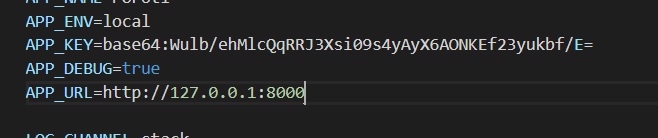
.Env
APP_NAME=Laravel
APP_ENV=local
APP_KEY=base64:6IJbdi+QYczKeLT7yOw3OgPsHucXn1KxVUb27hTQKpU=
APP_DEBUG=true
APP_URL=http://POroti
config/filesystems
'public' => [
            'driver' => 'local',
            'root' => storage_path('/public/storage'),
            'url' => env('APP_URL').'/public/storage/',
            'visibility' => 'public',
        ],
I've been trying the storage URL with this storage/app/public/ and that public/storage/ and I keep trying to change the path and can't remember which and what I took in this screenshot. All of the results are the same, the photo not showing

I thought when the laravel jet stream is completely installed. We got all of the scaffolding and doesn't need to change anything for it. Is it just me or anybody gets the same problem as mine?