Im in the process of building a function on my blog (www.raspada-blog.co.uk) so when i click a button in my admin area it will Post to Dev. to.
Now when i use an application like Insomnia to test out the API it works using the following information:
api-key: MY_DEV-TO_API_KEY
Content-Type: application/json
And then in the JSON bit of the post im using the following as an example
{
"article": {
	"title": "Hello, World!",
	"published": false,
	"body_markdown": "Hello DEV, this is my first post2",
	"tags": [
		"discuss",
		"help"
	],
	"series": "Hello series"
	}
}
This gets me the following response from dev.to
{
  "type_of": "article",
  "id": 856825,
  "title": "Hello, World!",
  "description": "Hello DEV, this is my first post2",
  "readable_publish_date": null,
  "slug": "hello-world-318e-temp-slug-2983170",
  "path": "/skino2020/hello-world-318e-temp-slug-2983170",
  "url": "https://dev.to/skino2020/hello-world-318e-temp-slug-2983170",
  "comments_count": 0,
  "public_reactions_count": 0,
  "collection_id": 14949,
  "published_timestamp": "",
  "positive_reactions_count": 0,
  "cover_image": null,
  "social_image": "https://dev.to/social_previews/article/856825.png",
  "canonical_url": "https://dev.to/skino2020/hello-world-318e-temp-slug-2983170",
  "created_at": "2021-10-08T20:44:53Z",
  "edited_at": null,
  "crossposted_at": null,
  "published_at": null,
  "last_comment_at": "2017-01-01T05:00:00Z",
  "reading_time_minutes": 1,
  "tag_list": "discuss, help",
  "tags": [
    "discuss",
    "help"
  ],
  "body_html": "<p>Hello DEV, this is my first post2</p>\n\n",
  "body_markdown": "Hello DEV, this is my first post2",
  "user": {
    "name": "skino",
    "username": "skino2020",
    "twitter_username": "skino2020",
    "github_username": "skino2019",
    "website_url": "http://raspada-blog.co.uk",
    "profile_image": "https://res.cloudinary.com/practicaldev/image/fetch/s--utKm4Vv9--/c_fill,f_auto,fl_progressive,h_640,q_auto,w_640/https://dev-to-uploads.s3.amazonaws.com/uploads/user/profile_image/600988/36878a56-62ed-478e-8f6f-cdc8c8da13b1.jpg",
    "profile_image_90": "https://res.cloudinary.com/practicaldev/image/fetch/s--TYdi1SYF--/c_fill,f_auto,fl_progressive,h_90,q_auto,w_90/https://dev-to-uploads.s3.amazonaws.com/uploads/user/profile_image/600988/36878a56-62ed-478e-8f6f-cdc8c8da13b1.jpg"
  },
  "flare_tag": {
    "name": "discuss",
    "bg_color_hex": "#000000",
    "text_color_hex": "#FFFFFF"
  }
}
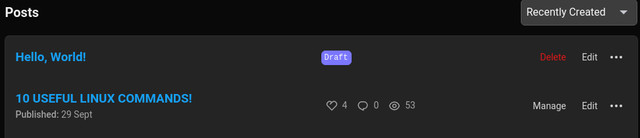
And when i check Dev.to i have my test post like so;
I cannot for the life of me figure out how to build that process in Laravel. My latest failed attempt was this one using Guzzle:
$client = (new \GuzzleHttp\Client());

$response = $client->post('https://dev.to/api/articles',
  [
  RequestOptions::JSON => [
      'headers' => [
	      "api-key" => "MY-API-KEY",
	      "Content-Type" => "application/json"
      ],
      [
	      "article" => [
		      "title" => "Please work",
		      "published" => false,
		      "body_markdown" => "Hello DEV, this is my first post",
		      "tags" => [
					"discus",
				    "help"
		      ]
		   ]
	   ]
    ]
]);
As you can see from the example above im just trying to post static information (not even pulling from the DB yet). each time i try this i get an error 500.
The Dev.to API docs are here: https://developers.forem.com/api#operation/createArticle. if anyone can shed any light on where im gowing wrong it would be much appreciated!
Cheers,
Mike


