Be part of JetBrains PHPverse 2026 on June 9 – a free online event bringing PHP devs worldwide together.

DanielRønfeldt's avatar

[Vue] Spatie Media Library Pro working locally, 422 error on the server

As the title says, the Media Library Pro <MediaLibraryAttachment /> Vue component is misbehaving when used online, while working perfectly fine locally. And before anything else, yes, I religiously followed the setup instructions. To top everything off, I built a factory that makes use of Media Library, by attaching media to new Category models during seeding, and everything works perfectly well when Media Library is used programatically (for seeding):

<?php

namespace Database\Factories;

use App\Models\Category;
use Illuminate\Database\Eloquent\Factories\Factory;

class CategoryFactory extends Factory
{
    protected $model = Category::class;
    
    public function definition(): array
    {
        return [
            'name' => $this->faker->unique()->word,
            'description' => $this->faker->sentence,
            'icon' => $this->faker->word(),
        ];
    }
    
    public function configure(): CategoryFactory
    {
        return $this->afterCreating(function (Category $category) {
            $imageName = rand(1, 28) . '.jpg';
            
            $originalImagePath = public_path('assets/img/demo/' . $imageName);
            $tempImagePath = sys_get_temp_dir() . '/' . $imageName;
            
            if (file_exists($originalImagePath)) {
                // Copy the file to a temporary location
                copy($originalImagePath, $tempImagePath);
                
                // Add the copy to the media collection
                $category
                    ->addMedia($tempImagePath)
                    ->toMediaCollection('categories');
                
                // Delete the temporary file if it exists
                if (file_exists($tempImagePath)) {
                    unlink($tempImagePath);
                }
            }
            
        });
    }
}

My setup:

  • PHP 8.2
  • Laravel 11
  • Breeze
  • Inertia
  • Vue

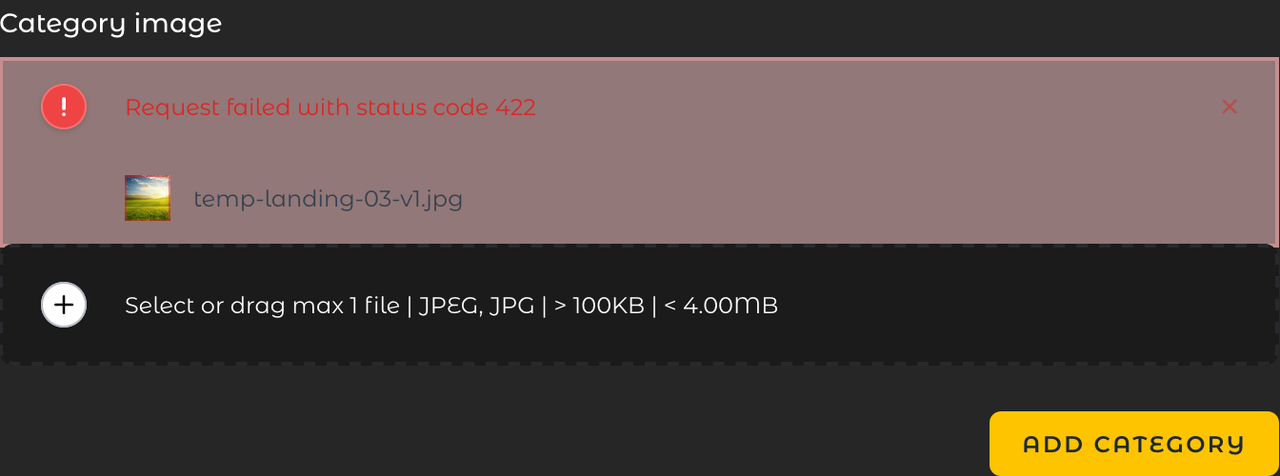
To elaborate, the Vue component won't allow me to successfully attach images to it. Dragging & dropping an image (or selecting it through the browser's prompt) results in the Request failed with status code 422 error. See below a comparison of what happens locally, and what happens online:

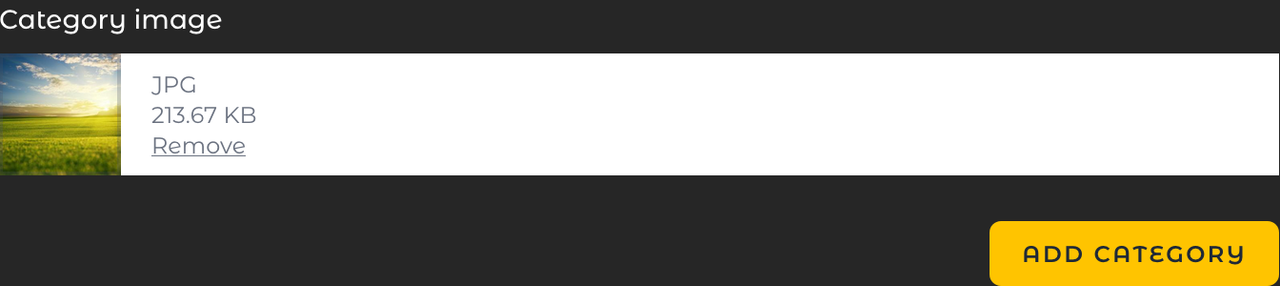
This is how it looks like locally: https://i.postimg.cc/NMJ1YNbJ/02.png

The error that happens when online: https://i.postimg.cc/4yYp3zSJ/03.png

By inspecting the XHR server response with the 422 HTTP error code that got received after the component automatically sent the request to the default /media-library-pro/uploads route, the error message is: Could not handle upload. Make sure you are uploading a valid file.

I am positively certain that almost any average .jpg file should qualify as "valid file".

Any thoughts on this?

0 likes
3 replies
LaryAI's avatar
Level 58

The 422 Unprocessable Entity error typically indicates that the server understands the content type of the request entity, but was unable to process the contained instructions. In the context of file uploads, this often points to issues with validation or file handling on the server side.

Here are some steps to troubleshoot and resolve the issue:

  1. Check Validation Rules: Ensure that the validation rules for the file upload are correctly set up and that they match the file types and sizes you are trying to upload.

  2. Check Server Configuration: Sometimes, server configurations can differ between local and production environments. Ensure that your server has the necessary permissions and configurations to handle file uploads.

  3. Check Disk Configuration: Verify that the disk configuration in your config/filesystems.php is correctly set up and that the storage paths are writable.

  4. Check Media Library Configuration: Ensure that the Media Library configuration in config/media-library.php is correctly set up and that the media collections are properly defined.

  5. Check Network Issues: Sometimes, network issues or firewalls can interfere with file uploads. Ensure that there are no network restrictions that could be causing the issue.

  6. Check Laravel Logs: Check the Laravel logs (storage/logs/laravel.log) for any additional error messages that might provide more context about the issue.

Here is a step-by-step approach to debug and potentially resolve the issue:

Step 1: Validate File Uploads

Ensure that your file upload validation rules are correctly set up in your controller. For example:

public function store(Request $request)
{
    $request->validate([
        'file' => 'required|mimes:jpg,jpeg,png|max:2048', // Adjust the rules as needed
    ]);

    // Handle the file upload
}

Step 2: Check Disk Configuration

Ensure that your disk configuration in config/filesystems.php is correctly set up. For example:

'disks' => [
    'public' => [
        'driver' => 'local',
        'root' => storage_path('app/public'),
        'url' => env('APP_URL').'/storage',
        'visibility' => 'public',
    ],
    // Other disk configurations...
],

Step 3: Check Media Library Configuration

Ensure that your Media Library configuration in config/media-library.php is correctly set up. For example:

'media_library' => [
    'disk_name' => 'public', // Ensure this matches your disk configuration
    // Other configurations...
],

Step 4: Check Laravel Logs

Check the Laravel logs for any additional error messages:

tail -f storage/logs/laravel.log

Step 5: Debugging the Vue Component

Ensure that the Vue component is correctly set up to handle file uploads. For example:

<template>
  <div>
    <MediaLibraryAttachment
      :collection="collection"
      :model="model"
      @media-uploaded="handleMediaUploaded"
    />
  </div>
</template>

<script>
export default {
  data() {
    return {
      collection: 'categories',
      model: this.$props.model,
    };
  },
  methods: {
    handleMediaUploaded(media) {
      console.log('Media uploaded:', media);
    },
  },
};
</script>

Step 6: Check Server Permissions

Ensure that the server has the necessary permissions to handle file uploads. For example, ensure that the storage directory is writable:

chmod -R 775 storage

Step 7: Check Network Issues

Ensure that there are no network restrictions or firewalls that could be causing the issue.

By following these steps, you should be able to identify and resolve the issue causing the 422 error when uploading files using the Spatie Media Library Pro Vue component. If the issue persists, consider providing more detailed error logs or server configurations for further assistance.

DanielRønfeldt's avatar

Based on @laryai 's suggestions:

  1. File uploads don't need validation in this particular case, as I'm not using any form at all. The problem occurs immediately after attaching an image file to the Vue component.
  2. The disk cofiguration is correctly set up, considering the fact that programatically media gets created without any issues.
  3. The Media Library is correctly configured to use the public disk. Additionally, the storage is correctly linked ( php artisan storage:link is returning ERROR The [public/storage] link already exists.).
  4. Laravel's log is showing local.ERROR: Call to undefined function Symfony\Component\Process\proc_close() {"userId":1,"exception":"[object] (Error(code: 0): Call to undefined function Symfony\\Component\\Process\\proc_close() at /home/[redacted_for_privacy]/[redacted_for_privacy]/public_html/vendor/symfony/process/Process.php:1433), which is caused by each image attach attempt.
  5. The Vue component is as minimal as possible. There are no "file uploads" in the sense of a form submission. Again, file attaching attempts are failing.
  6. Server permissions are NOT an issue (checked and confirmed).
  7. There are no network issues, as I tried attaching images to the Vue component on several different devices with different operating systems, connected to different networks.

Please or to participate in this conversation.