I have a problem with my 2 level dependent dropdown.
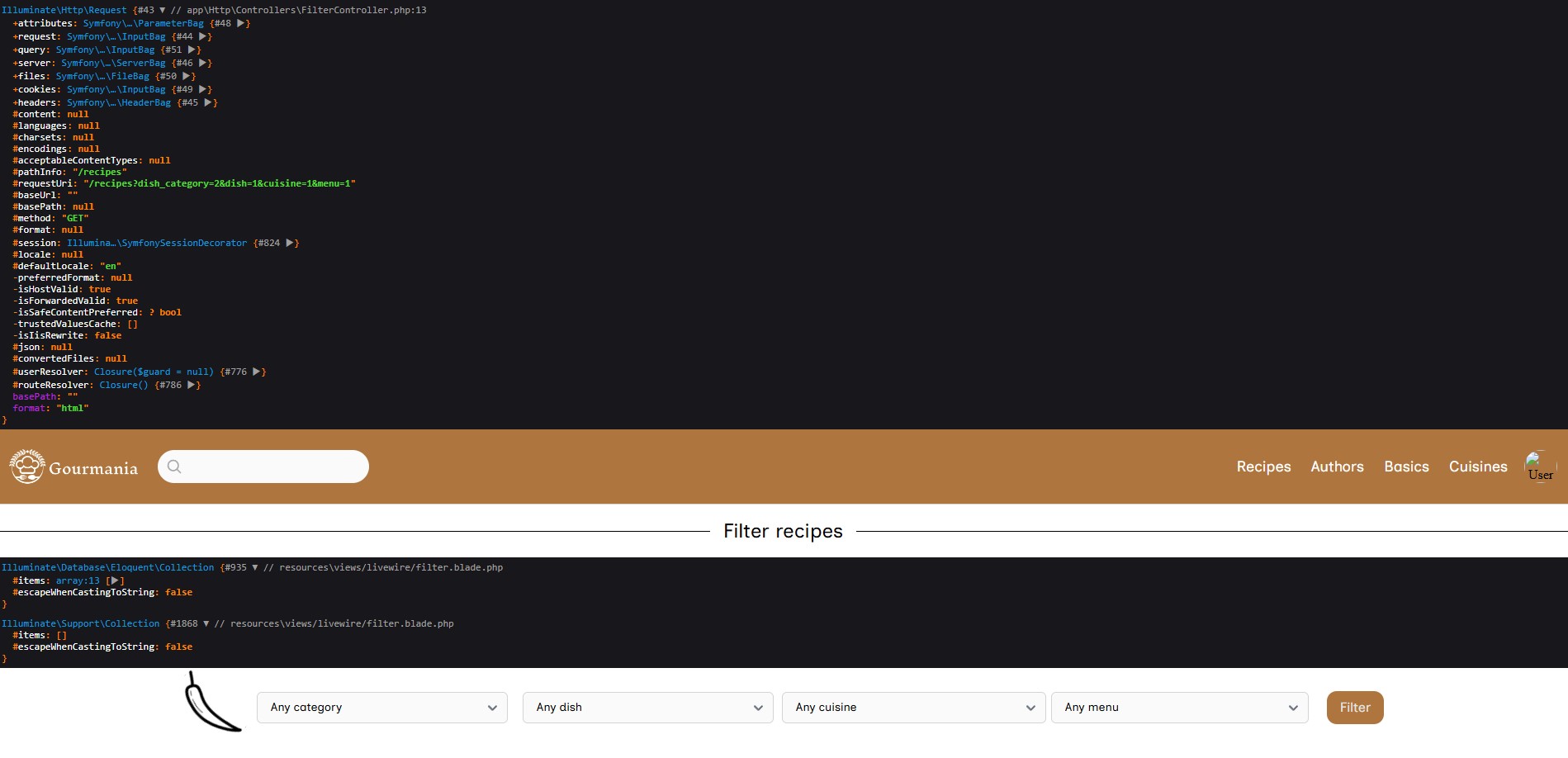
Dropdown at the page: https://i.ibb.co/d4PBYFcz/5904325373724837675.jpg
After I enter data into the selectors, I am taken to another page, but after returning to the previous page, my component appears to be broken
The problem is that when I go back from recipes.blade.php (2nd page) to index.blade.php (1st page) my component stops working normally (in place of dishes selector I see just an empty white field, there is nothing there), in the other selectors remain the previously selected data. By design, if I return to the index.blade.php page, the component should be clean. Maybe someone has encountered such a problem?
Dropdown after problem: https://i.ibb.co/XZYS2S6p/5904325373724837678.jpg
view:
<form action="{{ route('filter') }}" method="GET">
    <div>
        <!--Dish Categories -->
        <div>
            <select wire:model.live="dishCategory" name="dish_category">
                <option value="">Any category</option>

                @foreach($dishCategories as $dishCategory)
                    <option value="{{$dishCategory->id}}">{{ $dishCategory->name }}</option>
                @endforeach
            </select>
        </div>

        <!--Dish -->
        <div>
            <div>
                <select wire:model.live="dish" name="dish">
                    @if($dishes->count() == 0)
                        <option value="">Any dish</option>
                    @endif

                    @foreach($dishes as $dish)
                        <option value="" selected>Any dish</option>
                        <option value="{{ $dish->id }}">{{ $dish->name }}</option>
                    @endforeach
                </select>
            </div>
        </div>

        <!-- Select cuisine -->
        <div>
            <select name="cuisine">

                <option value="" selected>Any cuisine</option>

                @foreach($this->cuisines as $cuisine)
                    <option value="{{ $cuisine->id }}">{{ $cuisine->name }}</option>
                @endforeach
            </select>
        </div>

        <!-- Select menu -->
        <div>
            <select name="menu">
                <option value="" selected>Any menu</option>
                @foreach($this->menus as $menu)
                    <option value="{{ $menu->id }}">{{ $menu->name }}</option>
                @endforeach
            </select>
        </div>
        <!-- form button here ... -->
    </div>
</form>
Filter.php:
class Filter extends Component
{
    public $dishCategories;
    public $dishes;

    public $dishCategory;
    public $dish;

    public $cuisines;
    public $menus;


    public function mount()
    {
        $this->dishCategories = DishCategory::all();
        $this->dishes = collect();

        $this->cuisines = Cuisine::get();
        $this->menus = Menu::get();
    }

    public function render()
    {
        return view('livewire.filter');
    }

    public function updatedDishCategory($value)
    {
        return $this->dishes = Recipe::where('dish_category_id', $value)->get();
    }
}