Level 54
what are you seeing in the markup as a result of this:
<tr is="blog-article" :article="{{ $article }}"></tr>
You may need to json_encode($article) to dump it inline like that..

Be part of JetBrains PHPverse 2026 on June 9 – a free online event bringing PHP devs worldwide together.

Hi,
I'm trying to use a custom component for a table row, but I can't get it to display. I'm using Laravel with the component in its own Vue file. Here's the code where the component is used :
<table class="table">
    @foreach($articles as $article)
        <tr is="blog-article" :article="{{ $article }}"></tr>
    @endforeach
</table>
Here is where the component is registered (inside of app.js) :
Vue.component('blog-article', require('./components/Article.vue'));
And here is the component itself :
<template>
 <tr>
        <td>{{ article.title }}</td>
         <td>{{ article.published_at }}</td>
         <td>
             <button class="btn btn-sm btn-default">Désactiver</button>
                <a href="/blog/gerer/{{ article.slug }}" class="btn btn-sm btn-         default">Modifier</a>
                <button class="btn btn-sm btn-danger">Supprimer</button>
            </td>
    </tr>
</template>

<script>
 export default {
         mounted() {

         },

        props: ['article'],
 }
</script>
I can see the component in the Vue devtools :
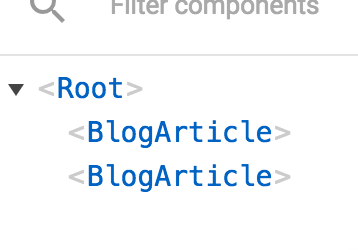
But the table rows are not displayed :
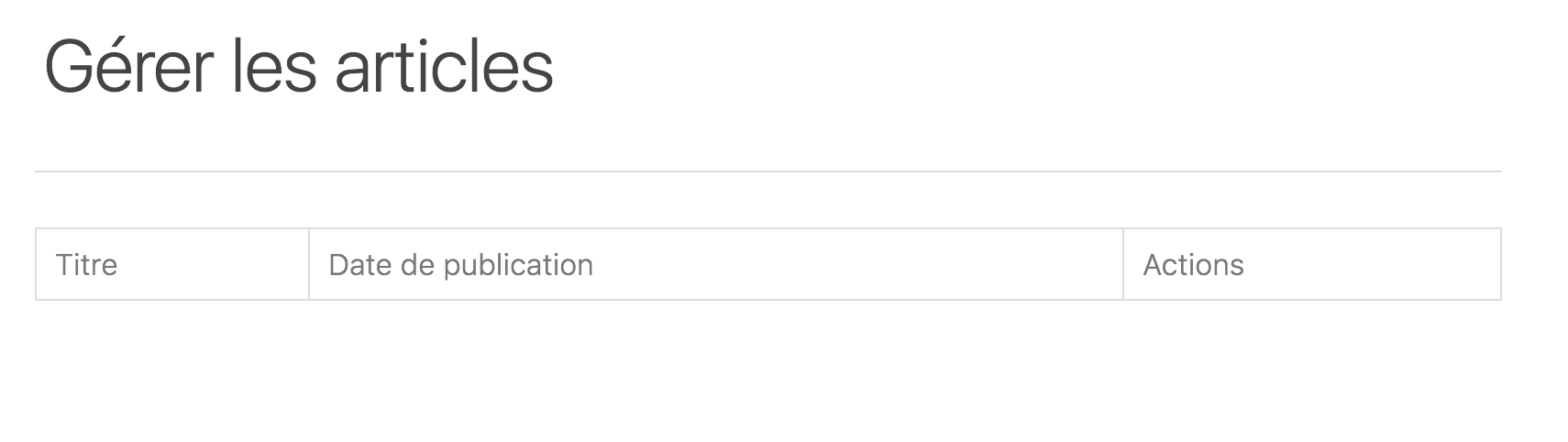
I'm thinking that there's something wrong with the way I'm using the component in my blade file, but according to the Vue documentation that's what you need to do for some HTML elements like <tr>, I can't simply do <blog-article>.
What am I doing wrong?
Thanks for the help!
Please or to participate in this conversation.