
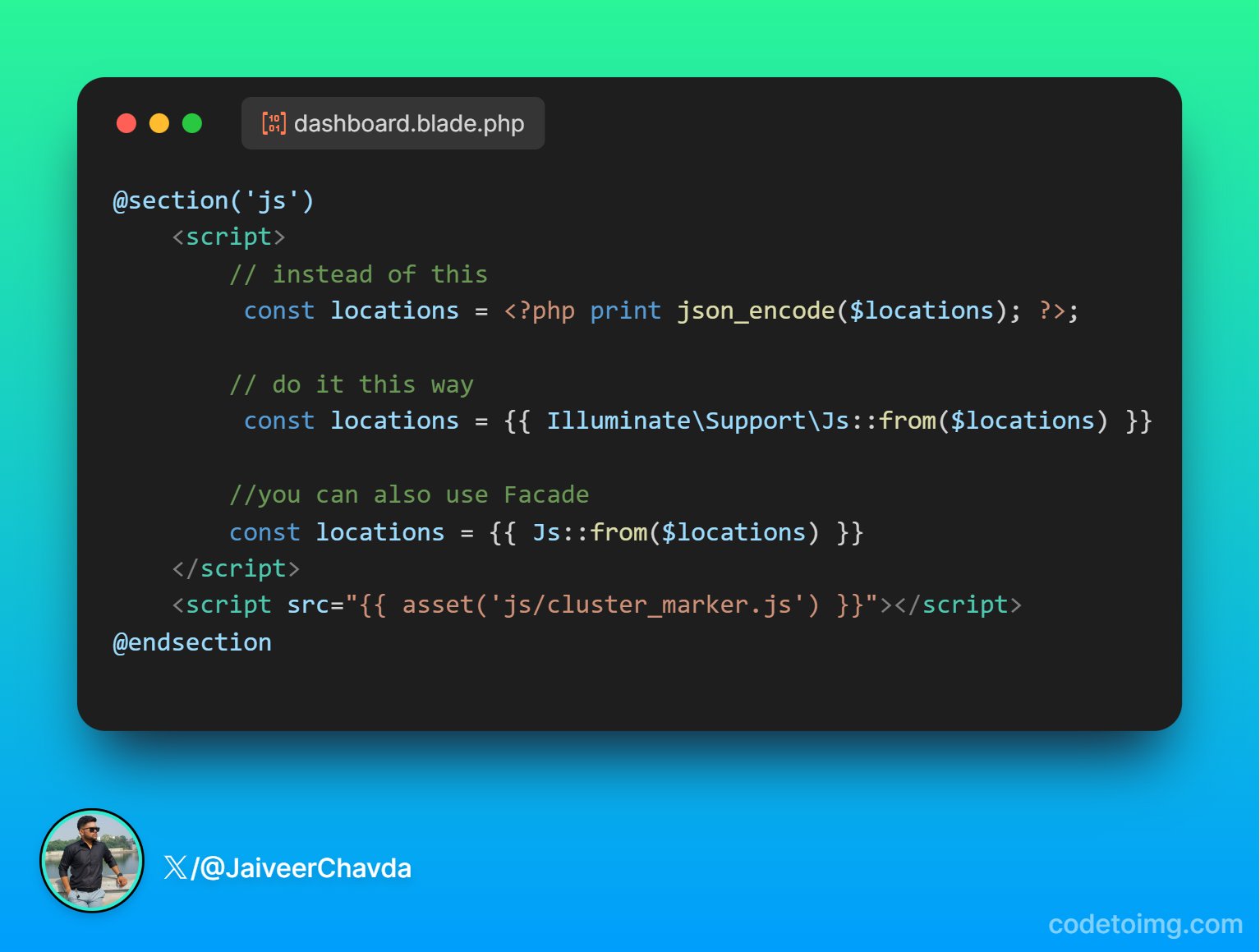

To convert a PHP array to JSON in a Blade file, you can use the Js::from() directive provided by Laravel. This directive is specifically designed to convert PHP data structures into JSON, making it easy to pass data from your backend to your frontend JavaScript code.
Here's a step-by-step solution:
-
Pass the data from your controller to the view:
In your controller, pass the location collection to the view:
public function showMap() { $locations = [ ['latitude' => '40.712776', 'longitude' => '-74.005974', 'address' => 'New York, NY'], ['latitude' => '34.052235', 'longitude' => '-118.243683', 'address' => 'Los Angeles, CA'], // Add more locations as needed ]; return view('map', compact('locations')); } -
Use the
Js::from()directive in your Blade file:In your Blade file (
map.blade.php), you can convert the PHP array to JSON and initialize a JavaScript variable with it:<!DOCTYPE html> <html> <head> <title>Map</title> <script src="https://maps.googleapis.com/maps/api/js?key=YOUR_API_KEY"></script> <script> document.addEventListener('DOMContentLoaded', function () { // Convert PHP array to JSON const locations = @json($locations); // Initialize the map const map = new google.maps.Map(document.getElementById('map'), { zoom: 4, center: { lat: 39.8283, lng: -98.5795 } // Center of the USA }); // Add markers to the map locations.forEach(location => { new google.maps.Marker({ position: { lat: parseFloat(location.latitude), lng: parseFloat(location.longitude) }, map: map, title: location.address }); }); }); </script> </head> <body> <div id="map" style="height: 500px; width: 100%;"></div> </body> </html>
In this example:
- The
@json($locations)directive is used to convert the PHP array to a JSON object that can be used in JavaScript. - The
locationsJavaScript variable is initialized with the JSON data. - A Google Map is initialized and markers are added based on the latitude and longitude values from the
locationsarray.
Make sure to replace YOUR_API_KEY with your actual Google Maps API key.
This approach ensures that your PHP data is seamlessly converted to JSON and can be used directly in your JavaScript code within the Blade template.

