abkrim's avatar
Level 13

Problem for configure pest In PhpStorm & Sail

I have several projects in which I already use PestPHP. I work with PhpStorm, and except for the warning that I always get about Composer v1, I already have it perfectly configured and I can launch the tests, individual or global) from 'run'

Worse, when I have tried to configure a project that is a Laravel package, here I am no longer able, despite using the same method.

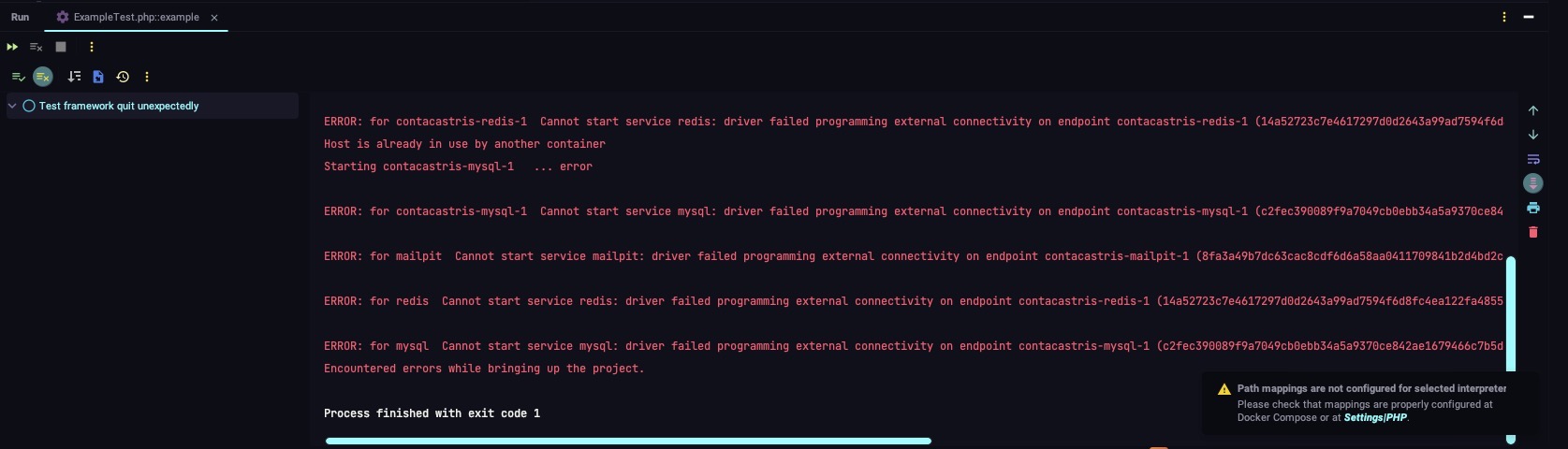
When I try to run a test, whether individual or all, using run I get the error that it tries to raise sail again.

Error

composer://[/Users/abkrim/Sites/contacastris/docker-compose.yml]:laravel.test/]:php /Users/abkrim/Sites/courses/tdd-pest/vendor/pestphp/pest/bin/pest --teamcity --configuration phpunit.xml /Users/abkrim/Sites/contawhmcs/tests/Unit/ExampleTest.php "--filter=/^(P\)?Tests\Unit\ExampleTest::example(\ swith\s(data\sset\s\".*\"|\(.*\))(\s\/\s(data\sset\s\".*\"|\(.*\)) )*(\s#\d+)?)?/"
WARNING: Compose V1 is no longer supported and will be removed from Docker Desktop in an upcoming release. See https://docs.docker.com/go/compose-v1-eol/
The WWWGROUP variable is not set. Defaulting to a blank string.
The WWWUSER variable is not set. Defaulting to a blank string.
Starting contacastris-redis-1 ...
Starting contacastris-mailpit-1 ...
Starting contacastris-mysql-1 ...
Host is already in use by another container
Starting contacastris-mailpit-1 ... error

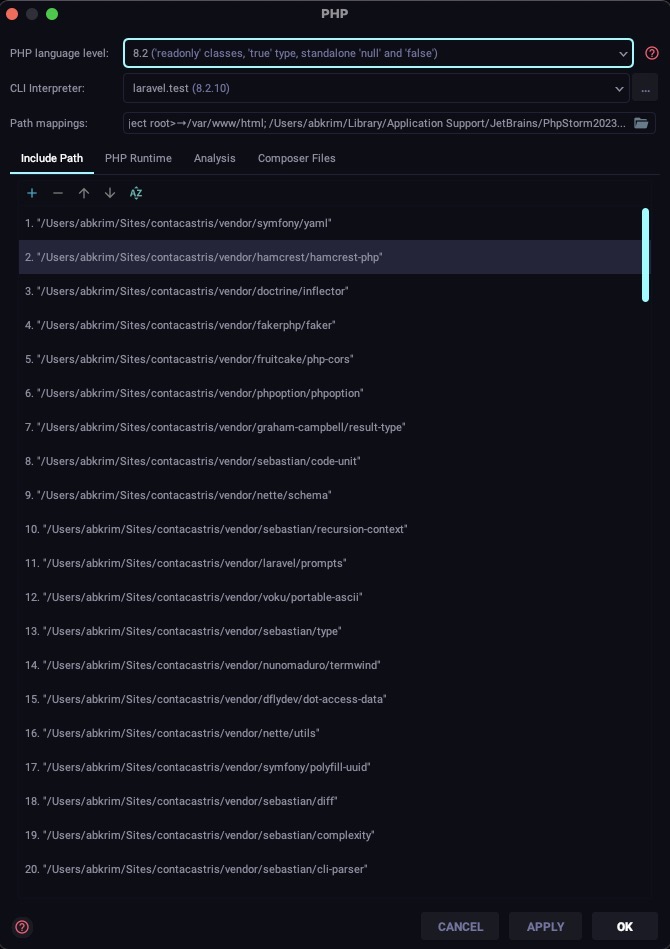
Additionally, there is a pop-up window that tells me that the Path mapping are not configured for selected interpreter. PHP

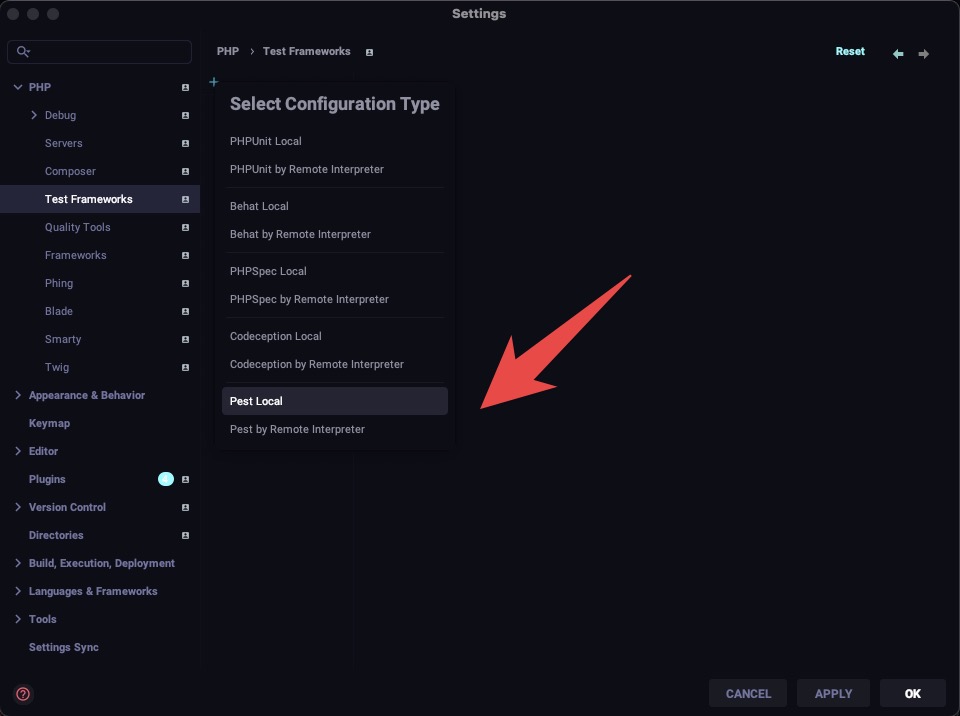
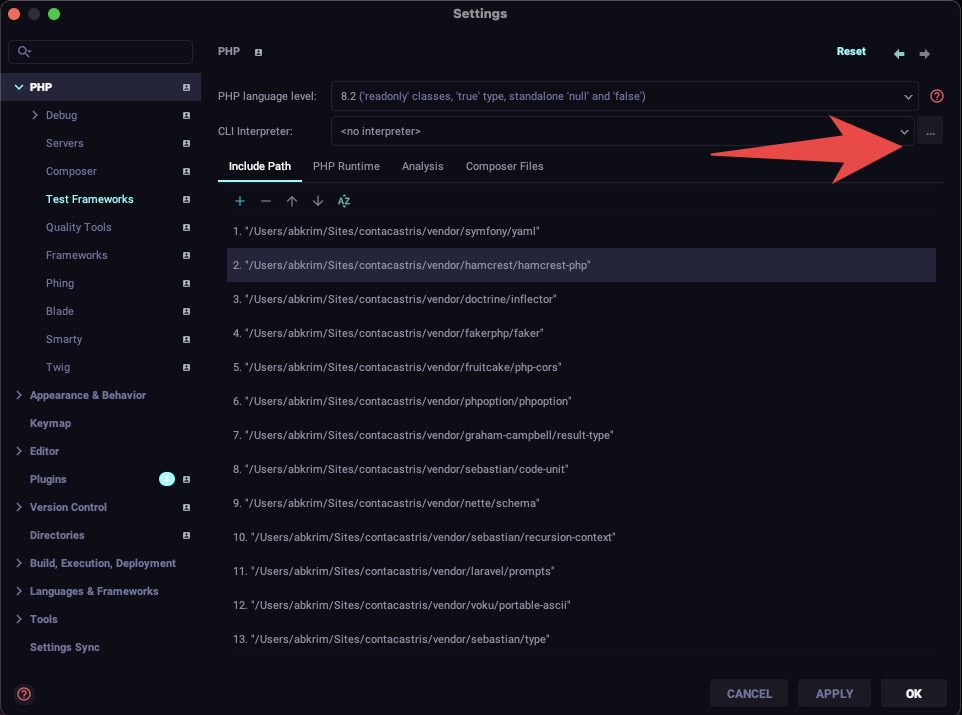
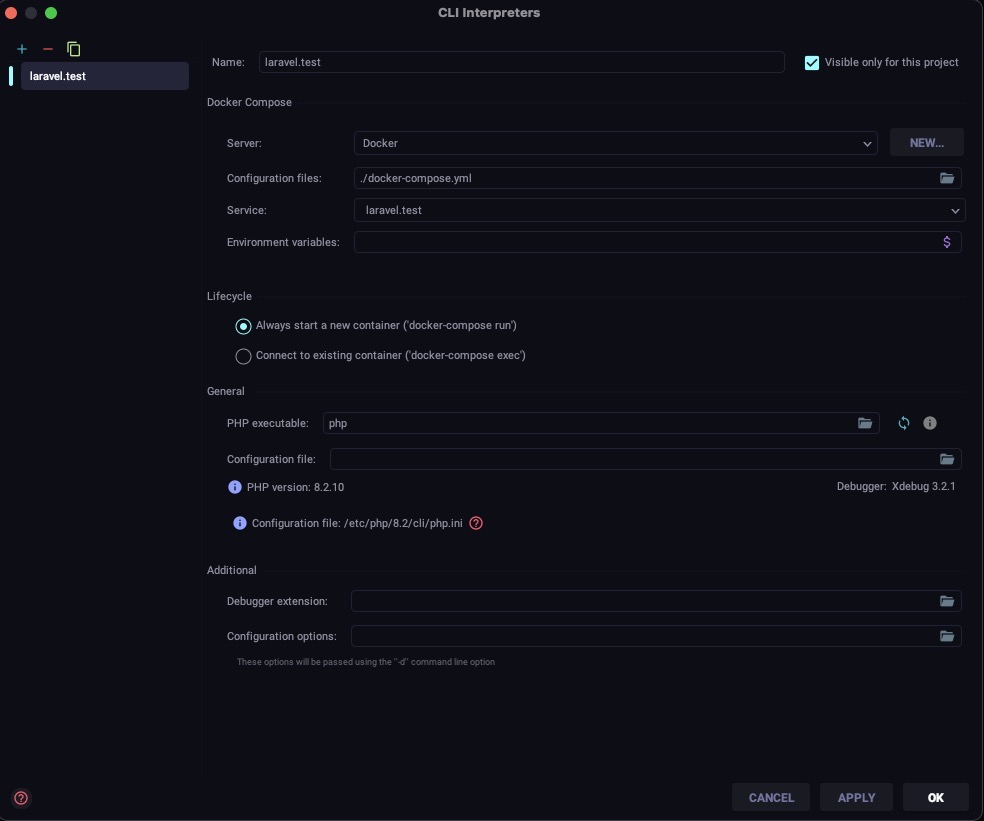
Some images

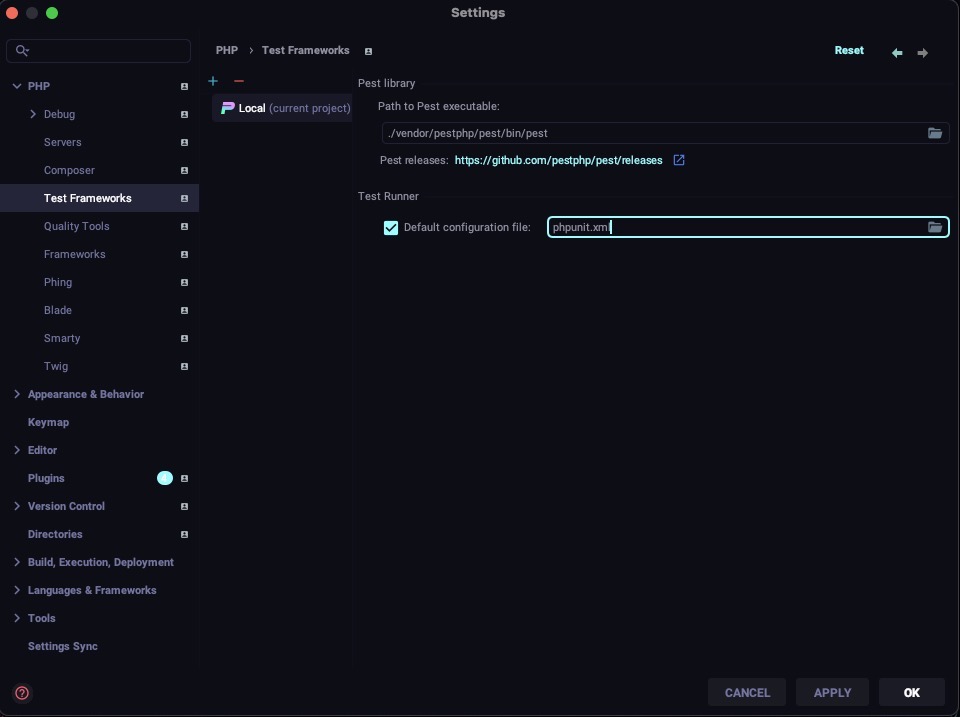
Interpreter iTest Frameworks Pest Test Cli Interpreter Cli Interpreter 2

0 likes
2 replies
LaryAI's avatar
Level 58

Based on the provided information, it seems that the issue is related to the configuration of PestPHP in PhpStorm and Sail for a Laravel package project. Here are the steps you can follow to resolve the problem:

  1. Make sure you have the latest version of PhpStorm installed.

  2. Open PhpStorm and go to "Preferences" (or "Settings" on Windows) from the main menu.

  3. In the left sidebar, navigate to "Languages & Frameworks" > "PHP" > "CLI Interpreter".

  4. Check if the correct PHP interpreter is selected. If not, click on the "+" button to add a new interpreter and select the appropriate PHP executable.

  5. Once the PHP interpreter is configured, go to "Languages & Frameworks" > "PHP" > "Test Frameworks".

  6. Click on the "+" button to add a new test framework and select "Pest".

  7. In the "Pest" section, set the "Path to Pest executable" to the path of the Pest executable in your project's vendor directory. For example: /path/to/your/project/vendor/pestphp/pest/bin/pest.

  8. Click "OK" to save the changes.

  9. Now, go to "Run" > "Edit Configurations" from the main menu.

  10. Select the existing configuration for running tests (e.g., "PHPUnit") or create a new one.

  11. In the "Test Runner" section, select "Pest" as the test runner.

  12. Make sure the "Use alternative configuration file" option is checked and set the path to your project's phpunit.xml file.

  13. Click "OK" to save the configuration.

  14. Try running the tests again using the "Run" menu or the keyboard shortcut.

If the issue persists, you may need to check your Docker configuration and ensure that there are no conflicts with the containers. Additionally, make sure that the necessary environment variables (e.g., WWWGROUP, WWWUSER) are properly set.

If you need further assistance, consider posting your question on the Laracasts forum or PestPHP GitHub repository, where the community can provide more specific guidance based on your project's setup.

abkrim's avatar
Level 13

@LaryAI What is?

Check if the correct PHP interpreter is selected. If not, click on the "+" button to add a new interpreter and select the appropriate PHP executable.

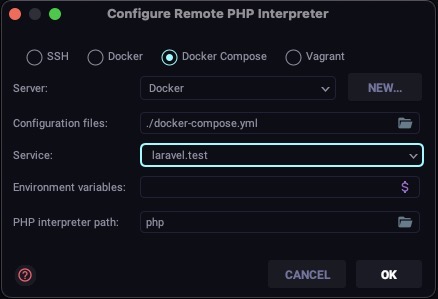
I suppose it is the one I have exposed... Remote PHP with Docker compose. with

  • Docker compose
  • Server: Docker
  • Configuration files: ./docker-compose.yml
  • Service laravel.test
  • Interpreter path php

What a shame it is so beautiful, broken by the use of an AI.

1 like

Please or to participate in this conversation.