Level 12
@vable You have to except your API routes from the CSRF.
Add your routes within the VerifyCsrfToken middleware.
protected $except = [
'your_routes'
];

Be part of JetBrains PHPverse 2026 on June 9 – a free online event bringing PHP devs worldwide together.
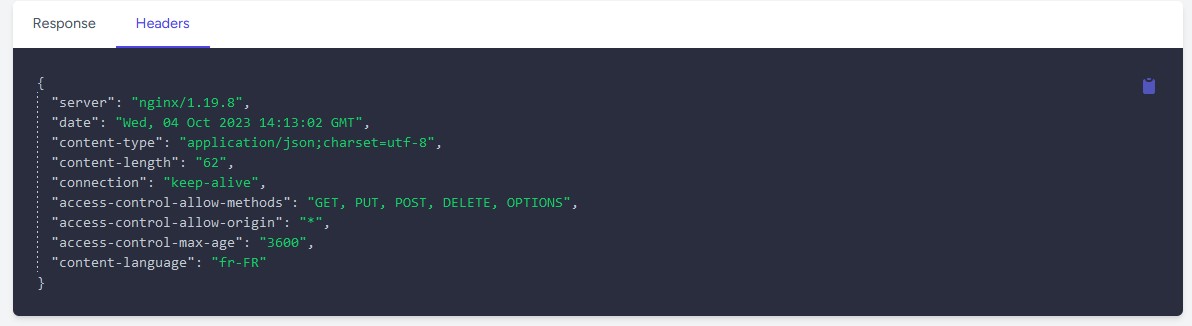
Hi Laravelers ! I'm using a Laravel 10 application that I'm trying to make communicate with an external API (several POST and GET requests). To do this, I'm using Javascript's fetch API. Where I'm running into a problem is that the GET requests are working without a hitch (with the right headers) whereas the POST requests are causing problems. I get a CORS 'Access-Control-Allow-Origin' error. When I make the POST request, I see 2 HTTPS requests in my console: one OPTION and one POST. In both requests, there is no "Access-Control-Allow-Origin". I contacted API support who assured me that the correct headers were present. Hence my question... Plus, everything works fine in Postman
Here's my code:
fetch('xxxxxx', {
method: 'POST',
headers: {
    'Content-Type': 'application/json',
    'Access-Control-Allow-Origin': '*',
    'Access-Control-Allow-Methods': 'POST',
    'Access-Control-Allow-Headers': 'Content-Type, X-CSRF-TOKEN',
},
body: JSON.stringify(ExpOptions)
})
.then(response => {
    if (!response.ok) {
        throw new Error('Network error.');
    }
    return response.json();
})
.then(data => {
    console.log(data);
})
.catch(error => {
    console.error('Error with the request:', error);
});
Here the response header for the OPTION request :
HTTP/1.1 200 OK
Server: nginx/1.19.8
Date: Wed, 04 Oct 2023 10:09:06 GMT
Content-Type: application/vnd.sun.wadl+xml
Content-Length: 458
Connection: keep-alive
Allow: POST, OPTIONS
Content-Language: fr-FR
And the request header :
OPTIONS xxxxxx HTTP/1.1
Host: xxxxxx
User-Agent: Mozilla/5.0 (Windows NT 10.0; Win64; x64; rv:109.0) Gecko/20100101 Firefox/119.0
Accept: */*
Accept-Language: fr,fr-FR;q=0.8,en-US;q=0.5,en;q=0.3
Accept-Encoding: gzip, deflate, br
Access-Control-Request-Method: POST
Access-Control-Request-Headers: access-control-allow-headers,access-control-allow-methods,access-control-allow-origin,content-type
Referer: xxxxx
Origin: xxxx
Connection: keep-alive
Sec-Fetch-Dest: empty
Sec-Fetch-Mode: cors
Sec-Fetch-Site: cross-site
Is there anything I need to configure in terms of JS or my server? I've seen that there's HandleCors middleware and cors.php which I've configured as follow:
    'paths' => ['api/*', 'sanctum/csrf-cookie', '*'],
    'allowed_methods' => ['POST', 'GET', 'DELETE', 'PUT', '*'],
    'allowed_origins' => ['xxxxxx'],
    'allowed_origins_patterns' => [],
    'allowed_headers' => ['X-Custom-Header', 'Upgrade-Insecure-Requests', '*'],
    'exposed_headers' => [],
    'max_age' => 0,
    'supports_credentials' => false,
Am I missing something, or is there an issue with the external API? Thanks for your feedback 😇
Please or to participate in this conversation.