

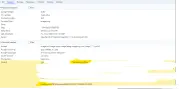
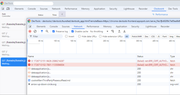

i suppose it is something new in chrome extensions security policies or something. i noticed same behavior recently. i am running my project locally on https, but without valid certificate (self-signed) and the clockwork extension is getting a (failed)net::ERR_CERT_AUTHORITY_INVALID error when trying to communicate.
you dont see the requests in network tab, you need to open the devtools for the extension. but it is simple - when you have clockwork in chrome opened (like your first screenshot), just right click anywhere (on one of the requests for example) and choose inspect. another devtool window opens and you can switch to network there. then refresh the original window and you will (hopefully) see all the requests (or failures, as in my case). it bothered me a bit, googled around, trying to find a solution... nothing. i am lazy to redo my docker setup not to use self-signed certificates (but i just should have to 😅) so i switched from chrome extension to the "built-in" web version, just go to your project.test/clockwork and there should be a web version which is as good as the chrome extension version. and it works like a charm.
but since there are at least two of us, ill open an issue in the clockwork repository, someone might resolve it (or navigate us) there