I'm working on an app that allows users to upload images, and I use Google Drive for storing them. Since I'm not compressing these images (up to 5mb per image allowed) it can take a long time to show on the page, so I decided to load these images once and keep them cached on the client side. I used the following code for it :
public function display(Pic $pic)
    {
        auth()->id() !== $pic->user_id ? abort(404) : null;

        $image = Gdrive::get($pic->filename);

        return response($image->file, 200, ['Content-Type' => 'image/webp'])
        ->header('Cache-Control', 'public, max-age=604800');
    }
My problem is; even though this "604800" value should be caching the image for a week, it doesn't seem to be the case for some reason.
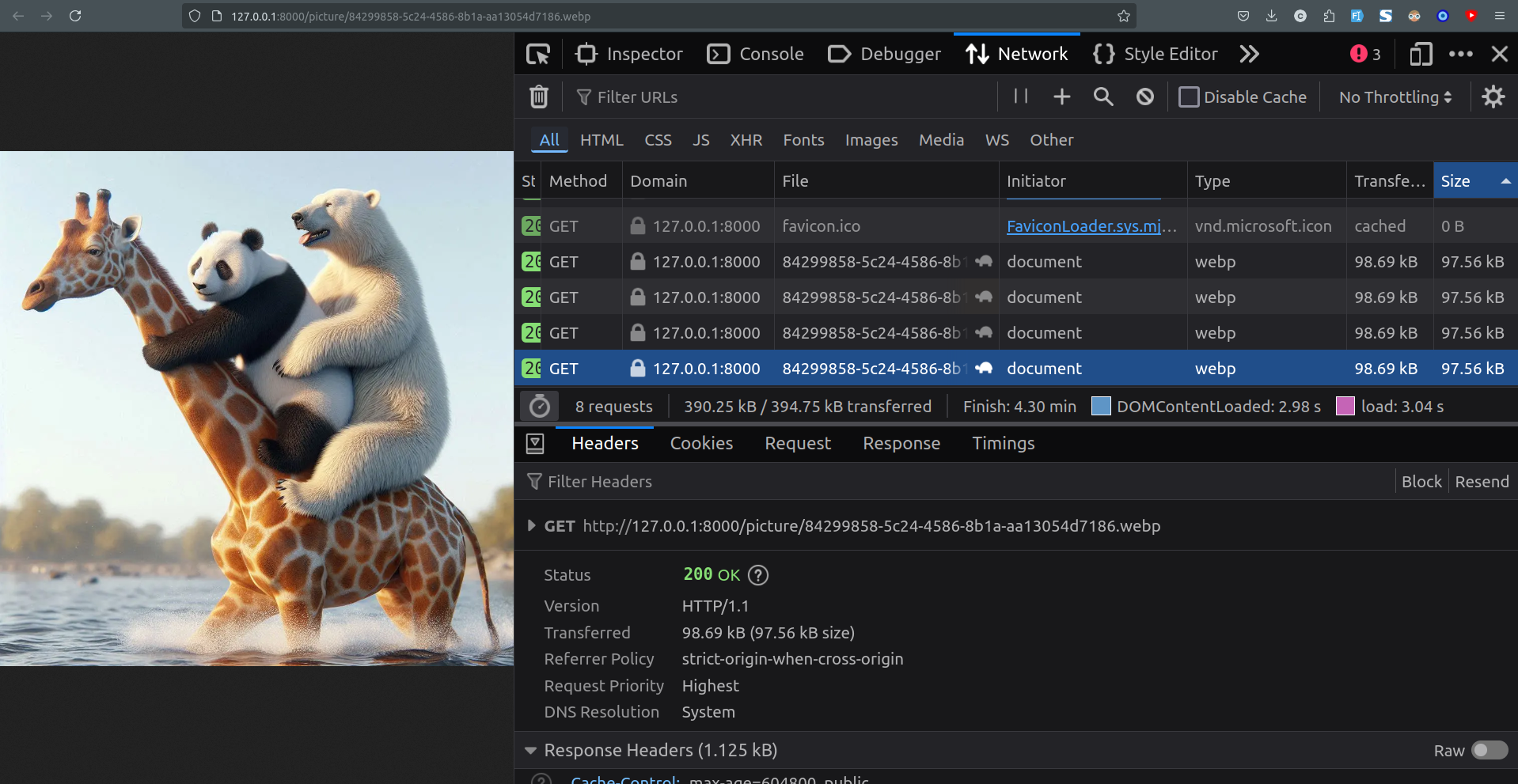
Here's an example from devtools network tab, as you can see from the turtle icon, this image is not coming from the cache, and each of these requests took 3 to 5 seconds to load.
Interestingly though this happens only when I directly visit the image url. But since I'm also allowing users direct link access to their images, this is an issue for me. It seems to be caching and showing properly when I use the same url inside an img tag.

In this picture, selected image is the same exact one as the image in the previous screenshot. So it takes 3s+ to load when I visit the direct link but 0ms when it's inside an img tag.
Do you know what I'm doing wrong?
Also, do you know a better way of caching these images? Is using headers the only way for it?
I know I should be compressing these, and I already am, for the thumbnails. But this app is more about keeping the uploaded files without making any changes on them (you can think of it as a file storage app)
Thanks!


