


It looks like you've set up Vite correctly in your vite.config.js file, but you're encountering issues with loading the assets in your Blade templates. Vite handles assets differently compared to Laravel Mix, and it uses an asset manifest to map the source files to their output files, which include the hash for cache busting.
Here's how you can fix the issue:
- Ensure that Vite's development server is running when you're working in development mode. You can start it using the following command:
npm run dev
- In your Blade layout file, you should use the
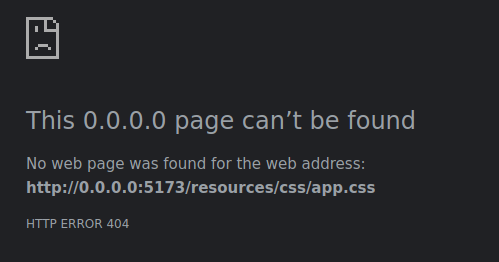
@vitedirective as you've done, but make sure that the paths you provide match the input files specified in yourvite.config.js. Since you're usingapp.scssas an input file, you should reference it instead ofapp.css:
@vite(['resources/css/app.scss', 'resources/js/app.js'])
-
When you build your assets for production using
npm run build, Vite will generate the assets with hashes in their filenames and update themanifest.jsonfile accordingly. Laravel's Vite integration will automatically use this manifest to resolve the correct asset paths in your Blade templates. -
Make sure that you have installed the
laravel-vite-pluginpackage and that it is up to date. This package provides the integration between Laravel and Vite, including the Blade directive that resolves the asset paths using the manifest file. -
If you're still having issues, clear your Laravel view cache using the following command:
php artisan view:clear
- Also, ensure that you're not caching the configuration or routes during development, as this can cause issues with asset loading. You can clear the configuration cache with:
php artisan config:clear
And clear the route cache with:
php artisan route:clear
By following these steps, your application should be able to resolve the correct paths for app.js and app.scss (which compiles to app.css) both in development and production. The @vite directive will handle the inclusion of the correct asset paths in your Blade templates.


