Be part of JetBrains PHPverse 2026 on June 9 – a free online event bringing PHP devs worldwide together.

atif-bashir-1998's avatar

Why no <title> tag inside page source?

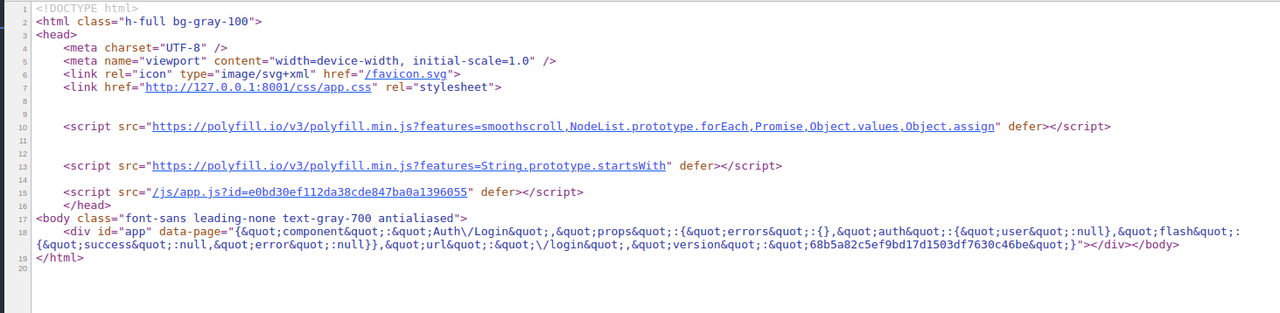
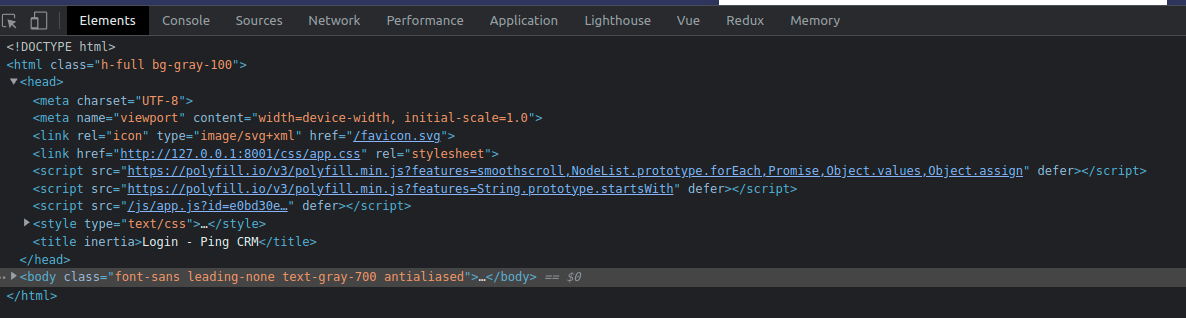
I am using Inertia's Head component to have the <title> and <meta> tags of my website. I am using SSR. But the issue is that when I view the page-source code, I do not see any <title> tag there. What is the reason for this? And will it affect my website's SEO?

0 likes
14 replies
atif-bashir-1998's avatar
Level 1

I was able to get the <title> and <meta> tags in the source code. I was passing the page related SEO info while rendering the page and then using the shared data inside the app.blade.php.

While rendering inertia page:

return Inertia::render('Home', [
			'seo' => Seo::select('title', 'description')->where('page_name', 'Home')->first()
		]);

Inside the <head> of app.blade.php:

<title>{{ $page['props']['seo']->title }}</title>

<meta name="description" content="{{ $page['props']['seo']->description }}">
atif-bashir-1998's avatar

@Sinnbeck No I actually had the @inertiaHead tag in the section of app.blade.php file. The <meta> and <title> tags were not in the page source. When inspected inside element tab the tags were present

Sinnbeck's avatar

@atif-bashir-1998 did you compare with the official pingcrm demo? It has the same and I bet it works (haven't tested it but I would assume)

Sinnbeck's avatar

@atif-bashir-1998 Just tested myself. Set it up, build ssr with npm run ssr:build and started the ssr server with npm run ssr:serve

ssr

Are you sure your ssr server is running?

atif-bashir-1998's avatar

@Sinnbeck I followed the readme file on the pingcrm page.So I did not start SSR while running pingcrm. I have seen that the source-code now has the title.

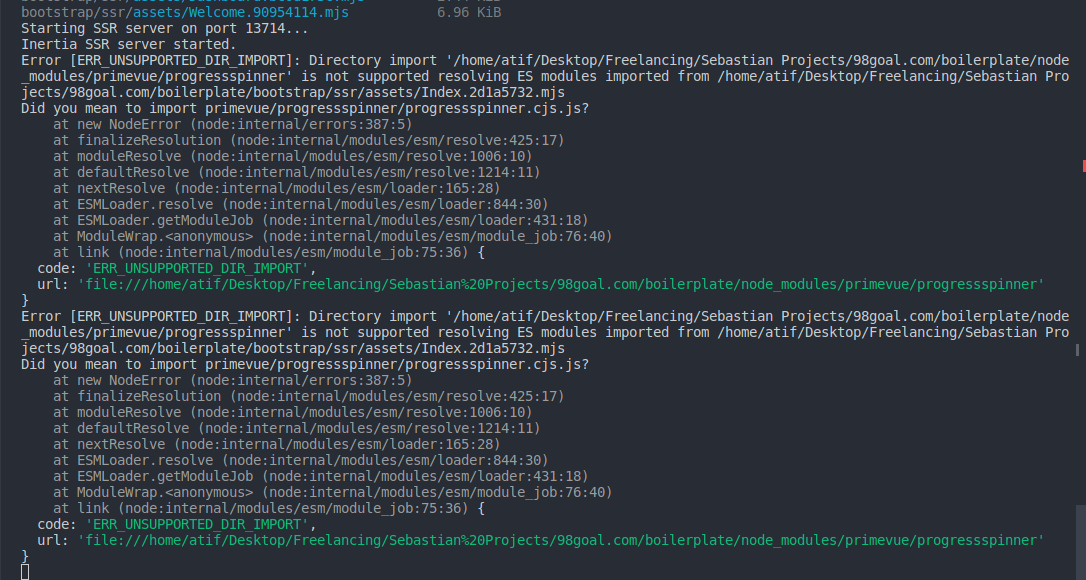
But there is an issue. I have Laravel 9. I am using primevue and it gives me errors in the ssr console related to primevue components I use on a that particular page. The errors are as following: primevue related errors in ssr console

When I remove the primevue from my .vue file, I can see the <title> and <meta> tags. Can you suggest how to fix these errors in ssr console?

Sinnbeck's avatar

@atif-bashir-1998 Ah ok. So it is indeed working. Sadly I am not a vue user myself I dont really know anything about that package. Maybe try showing how you are using it in your code.

Sinnbeck's avatar

Could you show the code that is failing? Also which version of vite have you installed (check package.json) ?

atif-bashir-1998's avatar

@Sinnbeck

vite: ^3.0.0

Here is my app.js file:

import './bootstrap';
import '../css/app.css';

import { createApp, h } from 'vue';
import { createInertiaApp } from '@inertiajs/inertia-vue3';
import { InertiaProgress } from '@inertiajs/progress';
import { resolvePageComponent } from 'laravel-vite-plugin/inertia-helpers';
import { ZiggyVue } from '../../vendor/tightenco/ziggy/dist/vue.m';
import PrimeVue from 'primevue/config';
import 'primevue/resources/themes/tailwind-light/theme.css';
import 'primeicons/primeicons.css';
import ConfirmationService from 'primevue/confirmationservice';
import ToastService from 'primevue/toastservice';

const appName = window.document.getElementsByTagName('title')[0]?.innerText || 'Laravel';

createInertiaApp({
    title: (title) => `${title}`,
    resolve: (name) => resolvePageComponent(`./Pages/${name}.vue`, import.meta.glob('./Pages/**/*.vue')),
    setup({ el, app, props, plugin }) {
        return createApp({ render: () => h(app, props) })
            .use(plugin)
            .use(ZiggyVue, Ziggy)
            .use(PrimeVue)
						.use(ConfirmationService)
						.use(ToastService)
            .mount(el);
    },
});

InertiaProgress.init({ color: '#4B5563' });

And here is my ssr.js file:

import { createSSRApp, h } from 'vue';
import { renderToString } from '@vue/server-renderer';
import { createInertiaApp } from '@inertiajs/inertia-vue3';
import createServer from '@inertiajs/server';
import { resolvePageComponent } from 'laravel-vite-plugin/inertia-helpers';
import { ZiggyVue } from '../../vendor/tightenco/ziggy/dist/vue.m';

const appName = 'Laravel';

createServer((page) =>
    createInertiaApp({
        page,
        render: renderToString,
        // title: (title) => `${title} - ${appName}`,
        title: (title) => `${title}`,
        resolve: (name) => resolvePageComponent(`./Pages/${name}.vue`, import.meta.glob('./Pages/**/*.vue')),
        setup({ app, props, plugin }) {
            return createSSRApp({ render: () => h(app, props) })
                .use(plugin)
                .use(ZiggyVue, {
                    ...page.props.ziggy,
                    location: new URL(page.props.ziggy.location),
                });
        },
    })
);

Sinnbeck's avatar

@atif-bashir-1998 Oh so you arent even importing the failing module directly? Maybe try looking in their issue tracker if there are others with the same issue or consider making a new issue on it

atif-bashir-1998's avatar

@Sinnbeck I tried to import it in the ssr.js file but it didn't work. Yes I am going to create a new issue related to this. Thanks a lot for the help

Sinnbeck's avatar

@atif-bashir-1998 happy to help. Sorry we couldn't get the last working but I think the component might have some weird problem with ssr

1 like
atif-bashir-1998's avatar

@Sinnbeck yes I think this might be the case. I am thinking to simply remove the primevue library from the project and look for something else

Please or to participate in this conversation.