
Level 5
new Vue({
i18n,
store,
router,
...App
});
console.log(`Debug`)
console.log(`Development: ${process.env.NODE_ENV === 'development'}`)
console.log(`Hot: ${module.hot}`)

How can i debug laravel mix & webpack?
npm run hot says it compiled succesfully but on chrome console doesn't have the hmr messages that it's working

And i have this

instead of something like this
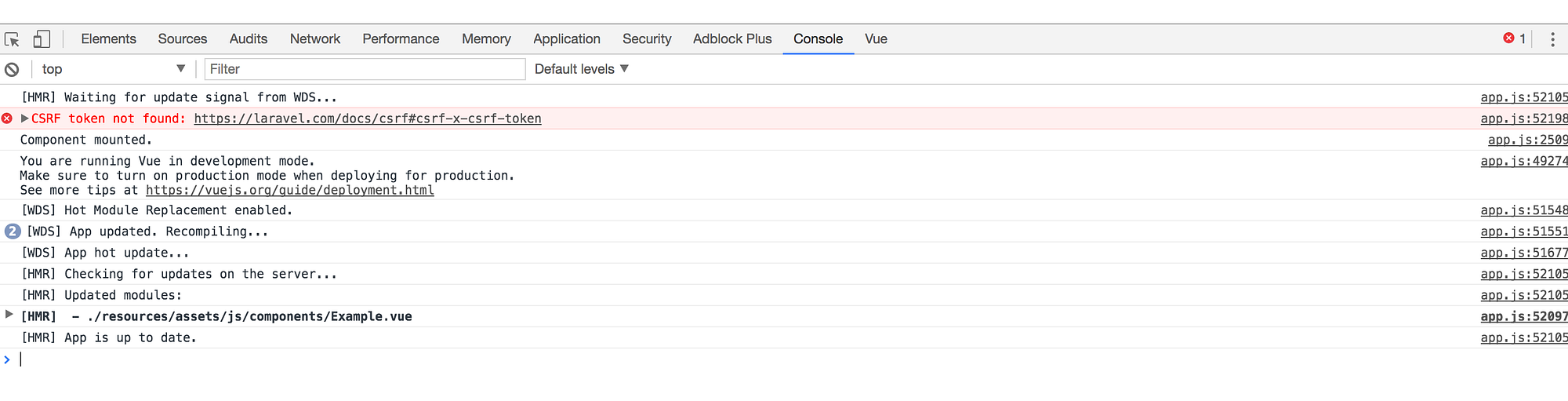
So if i modify a file it does not update it on the browser, i have to update with f5
This is my webpack.mix.js
let mix = require('laravel-mix');

// Dynamic import
mix.config.vue.esModule = true;

// Assets
mix.js('resources/assets/js/app.js', 'public/js')
   .sass('resources/assets/sass/app.scss', 'public/css')

   .extract([
        'axios',
        'bootstrap-vue',
        'date-fns',
        'dropzone',
        'js-cookie',
        //'pug',
        'sweetalert2',
        'vue',
        'vue-i18n',
        'vue-router',
        'vuex',
        'vuex-router-sync'
    ])

   .sourceMaps()
   .disableNotifications()

if (mix.inProduction()) {
    mix.version();
}

mix.webpackConfig({
    resolve: {
        extensions: ['.js', '.json', '.vue'],
        alias: {
            '~': path.join(__dirname, './resources/assets/js')
        }
    },
    output: {
        chunkFilename: 'js/chunk/[name].[chunkhash].js',
        publicPath: mix.config.hmr ? '//localhost:8080' : '/'
    }
});

if (! mix.config.hmr) {
    mix.browserSync({
        proxy: 'wuxia.oo',
        reloadDelay: 1000,
        open: false,
        notify: false,
    });
}
Please or to participate in this conversation.