

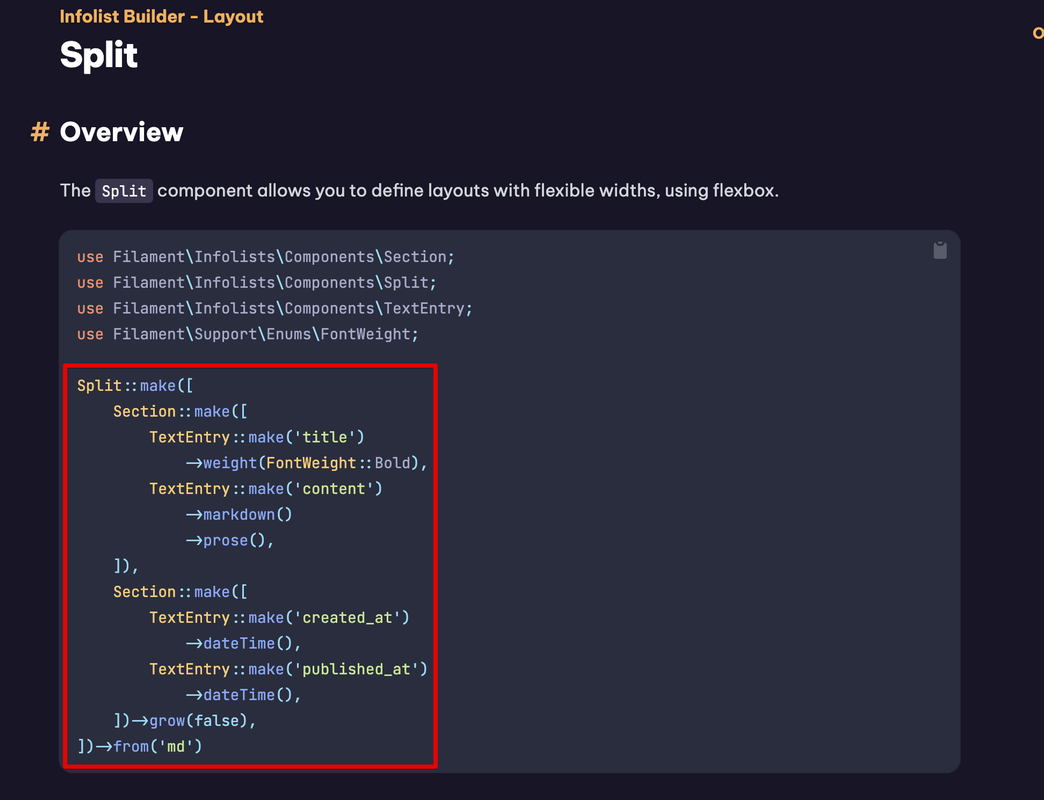

It seems like you're trying to use the Split layout component from Filament's tables module within an infolist, which is not directly compatible. The Split component is designed to be used within the context of Filament tables or forms, not infolists.
However, you can achieve a similar layout in an infolist by using custom HTML and CSS to create a side-by-side layout. Here's an example of how you might do that:
public static function infolist(Infolist $infolist): Infolist
{
    return $infolist
        ->schema([
            View::make('admin.infolist.custom-split')
                ->with([
                    'leftContent' => TextEntry::make('leftQuantity'),
                    'rightContent' => TextEntry::make('rightQuantity'),
                ]),
        ]);
}
Then, in your resources/views/admin/infolist/custom-split.blade.php file, you would create the HTML structure for the split layout:
<div class="grid grid-cols-2 gap-4">
    <div>
        {{ $leftContent }}
    </div>
    <div>
        {{ $rightContent }}
    </div>
</div>
This is a simplified example, and you would need to adjust the HTML and CSS to match your exact layout requirements. The key point is that you're using a custom view to create the layout, and then passing in the components you want to display on each side of the split.
Remember to replace 'leftQuantity' and 'rightQuantity' with the actual fields you want to display in your infolist.
Please note that this is a workaround since the Split component is not intended for use in infolists. If you need more complex layouts, you might need to extend Filament with custom components or use a different approach to display your data.
