The Laravel Workshop
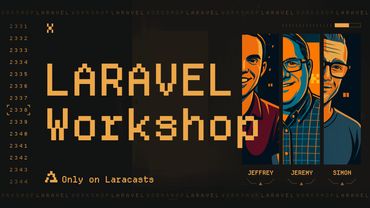
Buckle up, this is the workshop you've been waiting for! In fact, this course is such a massive undertaking to the point that it required three Laracasts instructors. Join Jeffrey Way, Simon Vrachliotis, and Jeremy McPeak as we build a fictional X-like platform, called Pixl, entirely from scratch!
Each instructor is responsible for one piece of the puzzle. Simon will tackle the static HTML and CSS build. Then Jeremy will convert it into a traditional and dynamic Laravel application. Finally, Jeffrey will demonstrate how to transform a server-side app into a full SPA. Let's go!
Progress
Series Info
- Episodes
- 64
- Run Time
- 12h 36m
- Difficulty
- Intermediate
- Last Updated
- Nov 28, 2025
- Version
- Latest
Series Episodes
- HTML and CSS (16)
Figma Design Overview
We take a high-level look at the original Figma design and explore the key UI elements we'll recreate. This helps us understand spacing, layout structure, and overall visual goals.Vite Dev Server
We fire up a Vite dev server and start scaffolding our project. The focus here is setting up the playground with Tailwind and building confidence in our local dev environment.Tailwind Theme Customization
We customize the Tailwind config file to match our design system. Colors, spacing, font sizes, and shadows get tweaked to bring the Figma design closer to code.Login Screen: Overall Layout
We build the structural layout of the login screen, using a two-column design and flex utilities to mirror the overall proportions of the original UI.Login Screen: Action Buttons
We implement the primary and secondary buttons on the login screen, covering hover states, disabled states, and how to keep spacing clean and consistent.Login Screen: Word Stack
We recreate the vertically stacked words on the left panel of the login screen using a clever flex-column trick and some custom tracking and sizing.Login Screen: Responsive Pass & Final Touches
We go back over the login screen and make it fully responsive across all breakpoints. This includes stacking behavior, spacing tweaks, and final cleanup to get everything looking clean and consistent.App Screen: 3-Column Layout
We start scaffolding the main app screen by setting up the three-column structure using CSS grid. This forms the backbone for the sidebar, feed, and profile panels.App Screen: Sidebar
We build out the left sidebar, adding navigation links and refining the styling to feel balanced and visually connected to the rest of the layout.App Screen: Navigation
We implement the top navigation bar of the app, covering positioning, z-index stacking, and how to keep the UI consistent across pages.Feed: New Post Prompt
We build the prompt that invites users to start a new post. This includes placeholder content, avatar positioning, and attention to spacing and border styling.Feed: Post UI
We construct the core post UI component, combining avatar, author info, timestamp, text content, and spacing details to match our design closely.Feed: Post with Replies
We extend the post UI by nesting replies, handling indentation, visual separation, and setting up a scalable reply thread structure.Feed: Reply Form
We implement the reply input beneath posts, ensuring smooth layout flow, responsive behavior, and clear visual hierarchy.App Screen: Responsive Pass & Final Touches
We revisit the full app layout and polish it for responsiveness. Expect tighter spacing, mobile refinements, and a final pass to make sure everything snaps into place on every screen size.Profile: Header Section
We focus on the last bit of UI: the profile header. We'll add user info, avatar, and subtle background treatments to give the profile screen its own identity.
- Laravel and Blade (30)
Installing Laravel
First thing's first: we need a Laravel application. We'll install one in Simon's repository and have it serve the feed and profile views.Extracting the Navigation, Aside, and Layout
We need to extract the common markup into partial views, layouts, and components. We'll start by creating partial views for the navigation and aside sections of the app so that we can create the layout.Creating the Artists to Follow Component
The aside has the "Artists to Follow" section that would work great as a stand-alone component. We'll create that component in this episode.Extracting the Post Form
The form markup for posting/replying is almost identical. Let's extract it into a reusable partial view to cut down on duplication.Creating the Feed Item Partial View
Displaying feed items is important for an app like PIXL. In this episode, we'll extract the markup into a partial view and feed it data so that we can prepare for our actual data.Generating Feed Replies
Replies are just like normal posts, except that they're a reply to another post. Let's extract the markup for the replies and modify our data structure to account for replies.Creating the Profile Model
Now we split authentication into a slimUsermodel and a fullProfile, decide on a one-to-oneuser_idrelationship (cascade on delete) and pick profile fields likedisplay_name, a uniquehandle, nullablebioandavatar_url. Then we scaffold the migration and factory with Artisan, wire up thehasOne/belongsTomethods and$fillable, and use Faker (90x90 avatar viaimageUrl) to generate test data.Building the Post Model
Next up, we build apostmodel to represent both posts and replies, opting for a nullableparent_idcolumn (plus a constrainedprofile_idandcontent) instead of a pivot table to keep queries and pagination simpler. We wire up the Eloquent relationships (hasMany/belongsTo), add indexes in the migration, and scaffold a factory with areplystate to easily generate replies — likes, follows, and reposts come next.Preparing Likes and Follows
Let's create theLikeandFollowmodels with migrations and factories — each is basically a pivot-style table (likes useprofile_id+post_id; follows usefollower_profile_id+following_profile_id), with constrained FKs, cascade-on-delete, unique constraints to prevent duplicates, and helpful indexes (e.g.post_id+created_at, plus follower/following indexes). Then we wire up the Eloquent relationships:LikebelongsToProfileandPost,PosthasManyLike, andProfilehasManyLikeplus belongsToMany followers/following via thefollowspivot with the correct pivot keys.Modeling Reposts
Okay, we're treating reposts as regular posts in the samepoststable by adding a self-referentialrepost_of_idforeign key and a model relationship to fetch reposts. We also tweak factories/seeding and makecontentnullable so plain reposts and quote posts behave correctly, then run a bit of model testing before wiring up controllers.Publishing Posts
Let's test our models before wiring up controllers — so we install Pest (composer require pestphp/pestand the Laravel plugin), runvendor/bin/pest init, scaffold aPostBehaviorTest, and run migrations withphp artisan migrate. We add a staticpublishmethod to thePostmodel, use factories to create aProfileand a post and assert things likeparent_idandrepost_of_idare null, then fix failing tests by adjusting factories/migrations (removename, pass true tofaker->sentences, add constrained foreign keys), runphp artisan migrate:freshandphp artisan test, and get a passing test — next up: replies and reposts.Replying To Posts
Let's build areplymethod that lets a profile reply to an original post, passing the profile, original post, and content as arguments, then verify it with tests for single and multiple replies. We'll ensure replies link back to the original post correctly and confirm everything works by running the tests before moving on to repost functionality.Basic Reposts
Let's build reposts — they're just posts like replies, so we add arepostfactory/method that setsparent_idto null andrepost_of_idto the original, supporting plain reposts (nullcontent) and quote reposts (providedcontent). We wire up therepostOfrelationship and add the field tofillableso tests pass, and next we'll prevent a profile from reposting the same post twice.Preventing Duplicate Reposts
We write tests to prevent duplicate reposts and enforce a DB-level unique constraint onprofile_id+repost_of_idin the migration (runmigrate:fresh), then update the Post model to usefirstOrCreateso reposts are fetched instead of blindly recreated. Next we add a staticremoveRepostthat finds by profile and original post and returns whetherdelete()removed anything, run the suite to get all tests passing, and then we start on likes in the next episode.Liking Posts
Now, we split out a small behavior test for liking posts and implement a staticcreatemethod on theLikemodel that links aprofileto apost, with a unique constraint in thecreate_likesmigration to prevent duplicates. We add tests to verify counts on both the profile and post, ensure duplicates can't be created, and implement a staticremovemethod to delete likes, then run the suite until all tests pass before moving on to follows.Following Profiles
Next up, we add profile following — we ensure thefollowsmigration has a unique constraint to prevent duplicate follows and our code blocks a profile from following itself (you could enforce this with a DBCHECKconstraint, but we handle it in code). We then copy the likes tests to make follow behavior tests and implementcreateFollowandremoveFollow(a.k.a.unfollow) so toggling follow/unfollow works and the test suite passes, which makes wiring up the controllers easier.Seeding The Database
Okay, we seed the database to create about 20Profilerecords and then use factories and a few loops to generate associatedPosts, randomLikes,Follows,Reposts (including some quote reposts) andReplys so the data feels realistic. After runningphp artisan db:seedwe peek at the tables to confirm the profiles, posts, likes, follows, reposts, and replies exist, then move on to implementing theProfileController.Displaying Top Level Posts
Next up, we're implementing theProfileControllerand aprofiles.showroute, adding a migration and factory tweaks for a cover image (usingdummyimage.com), and eager-loading counts so the view receives the profile plus top-levelpostsand follower/following counts. I also split the views into aprofiles/show.blade.phpand profile-specific partials, filter out replies so profiles show only top-level posts, and add anisReposthelper to handle normal reposts versus quote reposts.Implementing The Replies Page
Now the lesson builds a profile "with replies" page by copying theshowmethod to a newrepliesmethod, writing a query that pulls top-level posts (whereparent_idis null) plus posts that have replies by the profile, eagerly loading related profiles and counts, and wiring up a route andreplies.blade.phpview. Then it refactors the UI from partials into components—creating aPostcomponent (with publicpost,showEngagement, andshowRepliesprops) and aReplycomponent—swapping them into the show view and setting up follow-up work to toggle engagement/replies and extract the header.Creating The Header Component
Moving on, we make sure the posts page doesn't accidentally display replies by checking that therepliesrelation is loaded and we gate the likes/replies/reposts UI behind ashow engagementprop so we can hide engagement buttons when needed. Then we extract the header/navigation into aprofile headerview component, switch profile links to named routes likeprofiles.show, and plan to render an individualpostwith itsrepliesin the next episode.Displaying A Thread
Next up, we add a route likeposts.showand ashowmethod on aPostControllerthat uses Eloquent scope bindings to confirm thepostbelongs to the profile and eager-loads counts and relationships withwith/withCount. We then build aposts/show.blade.phpview that uses thepostcomponent, togglesshowReplies, and supports two levels of nested replies with links to individual posts.Finalizing the Artists to Follow Component
Now that we have our models and actual data, we can completely implement the Artists to Follow component. In this episode, we'll finalize that component to display actual profiles to follow both for signed-in and anonymous users.Displaying the Timeline
The timeline should include all of the posts from profiles that the signed-in profile follows. In this episode, we'll build the query to select those posts, including reposts, replies, and likes. It's not confusing at all!Creating Posts
Creating a post is probably one of the most simple things we can do in our app. In this episode, we'll build the necessary Request objects, controller methods, and Blade components to create a post.Replying to Posts
The next logical step is to implement the ability for profiles to reply to posts. In this episode, we'll build the necessary components and routes to handle post replies.Reposting, Liking, and Following
Creating a post is easy, but reposting, liking, and following are the most simple things we can do in PIXL. We have the functionality--we just need to wire it up in the UI.Deleting Posts, Unliking, and Unfollowing
If we can create posts, like posts, and follow profiles, we logically need the ability to delete posts, unlike posts, and unfollow profiles. In this episode, we'll wire up that functionality.Creating Social Button Components
Blade components are awesome, and they give us the opportunity to create reusable pieces of UI... like the social buttons. In this episode, we'll create some social button components for liking, reposting, and following.Cleaning Up
Earlier in the project, we created some partial views to help us get going quickly. Now that we have everything working, let's clean up those partial views and replace them with components where it makes sense.Refactoring Queries
Some of our queries are directly in our controller methods, and I want to clean that up. In this episode, we'll refactor our queries into query classes to keep our controllers cleaner and simpler.
- From Blade to SPA (18)
Welcome To Section 3
Welcome to Section 3, with Jeffrey Way. Let's get started by cloning Simon and Jeremy's work, installing all dependencies, and then setting up acomposer formattask to run both Pint and Rector on our codebase.The VILT Stack
Let's go with the VILT stack: Vue, Inertia, Laravel, and Tailwind CSS. There are a number of steps to get everything configured, so let's get started!The Feed Page
It's time to begin migrating Jeremy's Blade views and components into Vue single-file components. In this video, I'll show you the general workflow for each file.Named Routes And Ziggy
For eachhref, Jeremy used Laravel's helpfulroute()function to reference a named route. On the JavaScript side, we can leverage a tool called Ziggy to allow for the same thing.SVGs Can Be Vue Components
I think we should extract these SVGs into their own dedicated Vue components. Not only will this allow us to hide all of that ugly markup, but it also allows for reusability, accepting props, and more.API Resource Classes
When building an SPA, we must always be careful about the data we send to the client. For this reason, I prefer to always explicitly use Laravel's API Resource classes.The Create Post Form
Let's get started making the "create post" form dynamic. We can reach for Inertia 2's dedicatedFormcomponent to make this a cinch!The Post Item Component
Moving on to thePostitem component, let's ensure that the various labels - likes, reposts, replies - are properly rendered with the appropriate counts.Post Commenting
Next, let's work on support for replying to an existing post. We'll need the reply form to toggle based upon a button click.Show A Single Post
We haven't yet implemented the page that displays a single post, along with its replies. Let's work on that now!Dropdown Menus And Headless UI
Let's move our attention to the dropdown menu for each post. This should include links, for example, to view the post, delete it, etc. Rather than writing an accessibleDropdowncomponent from scratch, let's instead leverage HeadlessUI.The Profile Page
Each user can have a profile. Let's make sure that clicking their avatar properly directs you to a page to view their profile, bio, and replies.Follow Functionality
Jeremy has already implemented the backend logic to follow a profile. So our job is to wire up the form to submit the appropriate request.Flash Messaging
It might be useful to provide feedback to the user when they trigger a significant action on the site, such as publishing a post, following a user, or updating their profile. Let's build a simpleFlashMessagescomponent to display flashed data for a handful of seconds.The Marketing Page
At the moment, Simon's splash marketing page isn't in our codebase. Let's clone it from his repository so that we have a proper landing page for guest users.Browser Testing Workshop
A real-life application like this would require hundreds of tests. As this is a video series, that's a bit impractical. Instead, I'll jump-start you with a handful of test files that mimic how you might structure your full test suite. Let's think in terms of actions.Deploy Pixl Using Laravel Forge
No web app is ever truly complete, but let's go ahead and push our project to production using Laravel Forge. As you'll see, it's incredibly easy!Section 4: You
Congratulations on completing this massive multi-instructor series. We can't thank you enough for making it this far. For section 4, we're moving it over to...YOU. [Here are a handful of features](https://github.com/laracasts/laravel-workshop) that we'd recommend you work on. Good luck!




